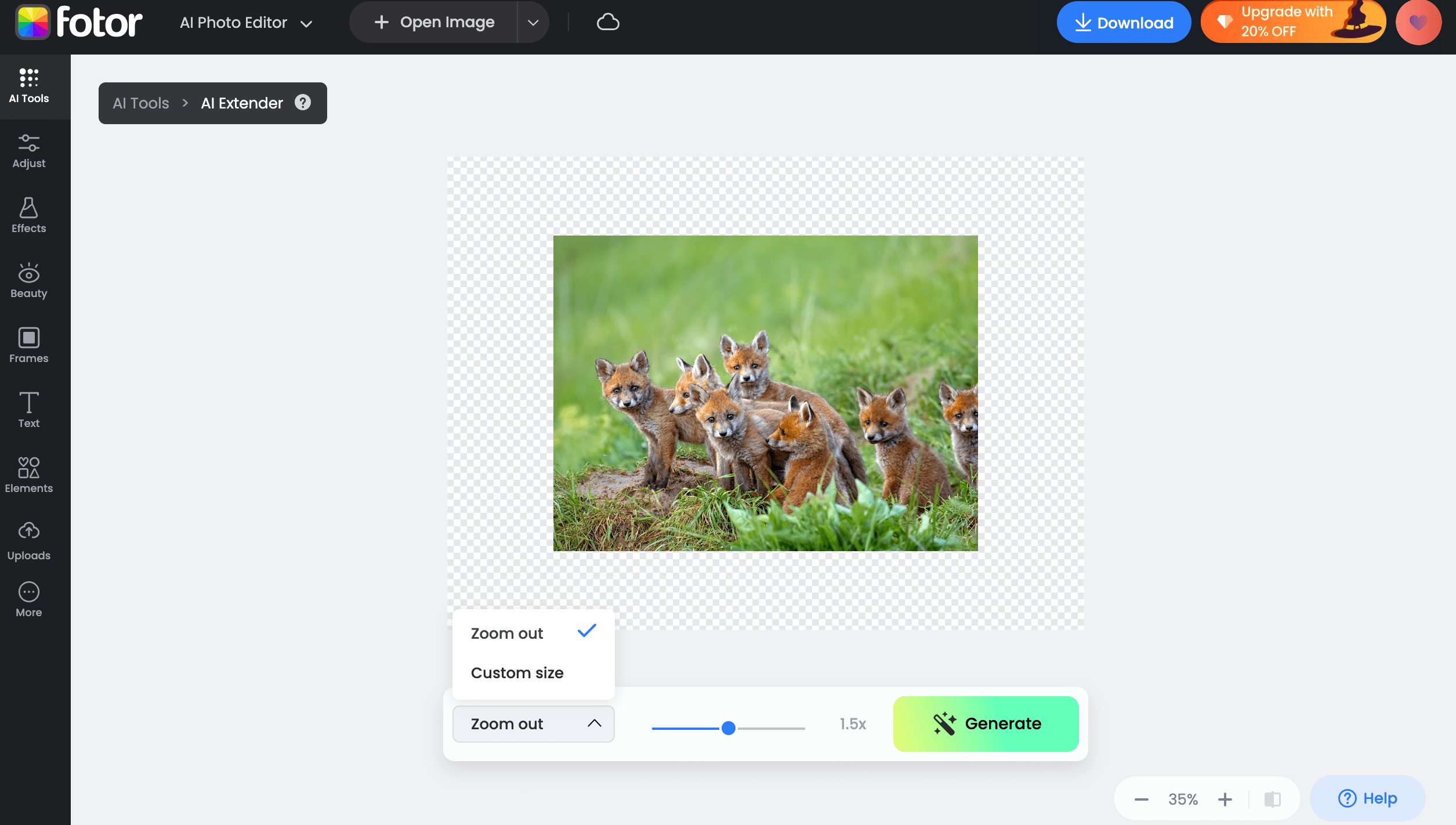
Fotor is an all-in-one image editing and design platform that offers a variety of AI-driven image editing tools, with the Image Extender being one of them. Fotor’s Image Extender allows you to perform AI Inpainting within images and expand the background with AI Outpainting.
Internal Inpainting: Use Fotor’s AI Magic tool to erase the parts of the image you wish to recreate, and then instruct the AI Image Extender on the new elements you want to generate. After waiting a few seconds, the new elements will appear in the area you previously erased. External Outpainting: Automatically expand the background of the image outward. You can also input a description of the background you desire and have AI generate a new background according to your specifications.
4 Steps to Extending an Image with Fotor:
- Register for a free Fotor account at https://www.fotor.com/.
Free users can extend up to 8 images per day, while paid users can remove this limit, with a minimum membership price of 2.83 euros per month.
- After logging in, click on the left sidebar menu and select “AI Tools,” then choose “AI Extender (Beta)” to access the tool interface. Click “Open Image” to upload the image you want to extend.

- Adjust the “Zoom Out” to determine the final size you want for the extended image. You can also click “Custom size” to customize the final image size, and then click “Generate” to start the extension process.

- After a few seconds, three different extended images will be generated for you to choose from. If you are not satisfied, you can generate more. Once you’ve selected your desired final image, click the “Apply” button, and then click “Download” to save it to your local device.

User Experience:
- Satisfaction: I used Fotor to expand the background of 5 images outward, and Fotor successfully completed all of them within a few seconds. I also found one I was satisfied with among the results.
- Dissatisfaction: Fotor claims that its extender can use AI to generate new elements within the image and create custom backgrounds on the outside, but I couldn’t find the option after searching for a long time. It wasted a lot of my time.